Virtual Production Unreal Engine: A Guide for Film and Game Teams
A virtual production Unreal Engine workflow connects real-time digital environments with filmmaking decisions and on-set execution. For an IP holder or production company, the important question is not simply whether to use the engine. It is which creative or production problem a real-time environment can solve, what the team must prove before the shoot, and how the resulting work will move through the rest of the pipeline.
Explore Arctic7’s production services
By Andrew MacLusky, CPO
What can virtual production with Unreal Engine help a team decide?
Unreal Engine can support the creation and display of digital environments in real time. Depending on the workflow, a team may use those environments for visualization, camera and scene planning, LED-wall photography, or other production needs. The practical value is earlier visibility: creative and technical teams can examine an image while decisions are still being made, rather than relying only on descriptions or waiting for every element to be finished later.
That capability does not make every scene a good candidate. A real-time environment may be useful when a camera move, lighting interaction, performer perspective, or visible background has a meaningful effect on the shot. A static background that will be replaced, a scene with little interaction, or a sequence that is easier to capture practically may not need the same setup. Treat the method as one production option, not as a default.
The first useful question is therefore concrete: what decision would improve if the team could see and revise the environment in context? It might be whether a horizon line works during a camera move, whether a world gives an actor the visual reference they need, or whether a sequence can be planned around a particular stage configuration. A test should answer that question, rather than merely demonstrate a technology.
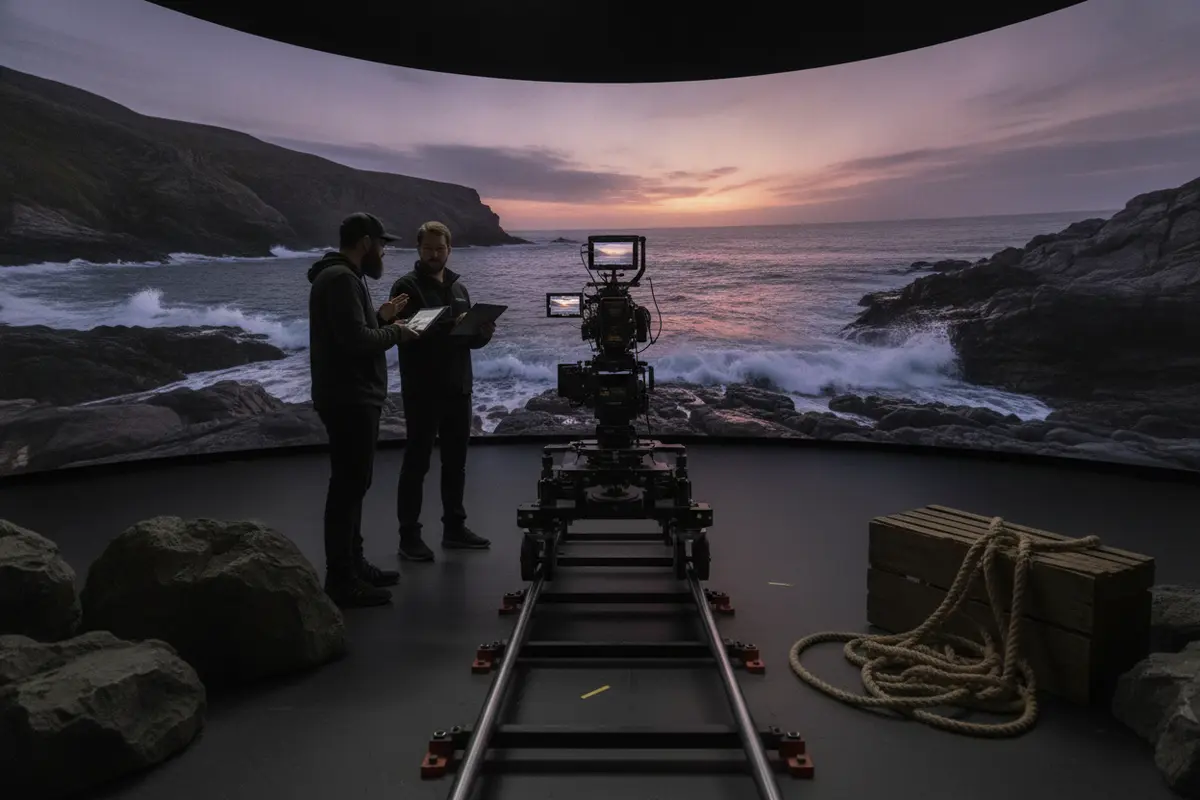
How should you evaluate a virtual production Unreal Engine workflow?
Begin with the project’s story, shots, constraints, and decision-makers. Identify where a real-time environment could provide creative context or production control, then list the assets, equipment, approvals, and handoffs needed to make those shots viable. A small, representative test can expose assumptions early. A broad technology demo may look polished yet leave the team without evidence about the actual shots, schedule, or workflow.
1. Map shots to production needs
For each candidate shot, record its setting, time of day, framing, camera motion, visible action, and continuity needs. Note whether the digital environment must respond to the camera, interact with practical lighting, or appear in reflections. Identify the most important visual elements and separate them from details that would be welcome but are not essential. This keeps the initial scope connected to the image rather than to a wish list of features.
Next, group shots that share a location, palette, camera language, or asset requirement. A set of related shots may make a common environment build more useful. If the candidate shots have little in common, a single large build may add complexity without creating much reuse. Look at the sequence as well as individual frames: location continuity and editorial coverage can influence whether a technique remains practical across the scene.
A simple shot brief might say: “The camera tracks from the doorway toward the actor; the environment must preserve the intended perspective and provide a changing exterior view; a practical foreground and interactive light are required; the final image will be reviewed by the director and cinematographer.” That is more actionable than “build a realistic city.” It gives departments a shared question to test and a basis for evaluating revisions.
2. Separate the goal from the technique
State the outcome before choosing the capture method. If the goal is to give the director a clear view of blocking and composition, visualization may be enough. If the image must appear on set and influence the photography, a stage-based workflow may be relevant. If the team primarily needs reference for performers while planning to replace the background, a green-screen or hybrid approach may fit better.
These are not rigid categories. A production can use previs to resolve camera questions, photograph selected shots against an LED wall, and complete other shots through compositing. The important thing is to name what the environment is for at each stage. Otherwise, an early visualization can be mistaken for an approved production asset, or a live image can be assumed to require no later refinement.
3. Pick one test with a decision attached
Choose a representative shot that includes the conditions most likely to reveal a problem. Define the intended camera move, lens or framing requirements, environment detail, lighting context, and capture path. Set review criteria before the test begins. For example, the team might agree to assess perspective during a move, the legibility of a key background feature, or whether an iteration can be reviewed within the production’s approval process.
Record what the test demonstrates and what it leaves open. A successful frame does not prove that every angle, lighting change, or scene will work. If the camera path, stage, or environment changes later, those changes may introduce new questions. The test is valuable when it helps the team make a bounded decision—proceed, revise, test again, or use an alternate method—not when it is treated as a universal guarantee.
Which virtual production approach fits the project?
Virtual production includes several related methods, and Unreal Engine can be used at different points in them. Compare each approach by the creative purpose, the stage at which the image is needed, and the work required afterward. The table below is a planning aid: it does not rank the methods or imply that one setup is suitable for every project.
| Approach | Useful when | What to test | Handoff question |
|---|---|---|---|
| Previsualization and visualization | The team needs to explore blocking, composition, location, or camera ideas before photography. | Does the visualization help a named creative or production decision? | Which parts are exploratory, and who approves the next stage? |
| LED-volume photography | A visible digital environment can contribute to the photographed image and on-set context. | Test the intended camera, environment, display, tracking, lighting, and movement together. | Which elements are captured in camera, and which may need later finishing? |
| Green screen with real-time context | Performers or crew benefit from an environment reference while compositing remains part of the plan. | Clarify what appears during photography and how the environment supports the shot. | Which backgrounds or elements will be replaced, refined, or composited? |
| Hybrid or selective use | Only a subset of scenes gains value from real-time environments. | Compare those shots with practical photography and conventional post-production. | How will continuity be maintained across different capture methods? |
For example, imagine a sequence that moves from a practical interior to an exterior vista. The interior may rely on a physical set, while an exterior view or selected camera angle may benefit from a real-time environment. Previsualization can help settle the transition before the shoot. A different shot in the same production—such as a brief, locked background—may be more straightforward to finish another way. Select the method at shot or sequence level, then document how the pieces connect.
Also compare the work each option moves between departments. A choice that reduces one kind of on-set uncertainty may require more environment preparation or a different post-production handoff. Conversely, an approach that seems simple during planning can leave creative decisions unresolved until later. The comparison should include image goals, review time, dependencies, and fallback options, rather than treating equipment as the only measure.
What belongs in a virtual production Unreal Engine pipeline?
A production pipeline links the creative brief to environment assets, technical integration, on-set execution, and final delivery. Unreal Engine may be central to the real-time environment, but the pipeline also needs clear ownership, approval states, and handoffs. A written plan makes dependencies visible and helps teams distinguish an exploratory build from an asset that has been validated for a specific production use.
1. Establish the creative and technical brief
Bring the relevant creative, production, camera, art, visual-effects, and technical leads together to define the intended image and the constraints around it. Capture candidate shots, camera requirements, stage assumptions, assets, review milestones, delivery expectations, and approval owners. For each point, identify whether it is confirmed, an assumption to test, or still undecided.
Define readiness in specific terms. “Ready” might mean approved for a creative review, suitable for visualization, technically checked with a particular capture path, or cleared for photography under agreed conditions. Those states are not interchangeable. Shared definitions reduce the chance that one department expects a polished final environment while another is still producing a camera-blocking study.
Write down what is out of scope as well. If certain shots are expected to rely on post-production, say so. If a digital environment exists only to support early planning, make that limitation visible in the brief. This prevents an attractive reference image from becoming an accidental promise about what can be captured on set.
2. Build the environment around the shot
Let story and camera requirements guide environment work. A moving close shot may need important near-camera details and careful review of the view across the move. A distant background seen through a narrow angle may have different demands. The team should decide what must be detailed, what can remain simple, and which parts may need to change as the camera or blocking evolves.
Plan asset versions and approvals before several departments begin working in parallel. Use a clear naming and review convention, record significant changes, and identify who can approve a new build. This is especially useful when creative reviews and technical preparation happen on different schedules. A concise version log can answer a practical question quickly: which environment was reviewed, what changed, and which version is intended for the next test?
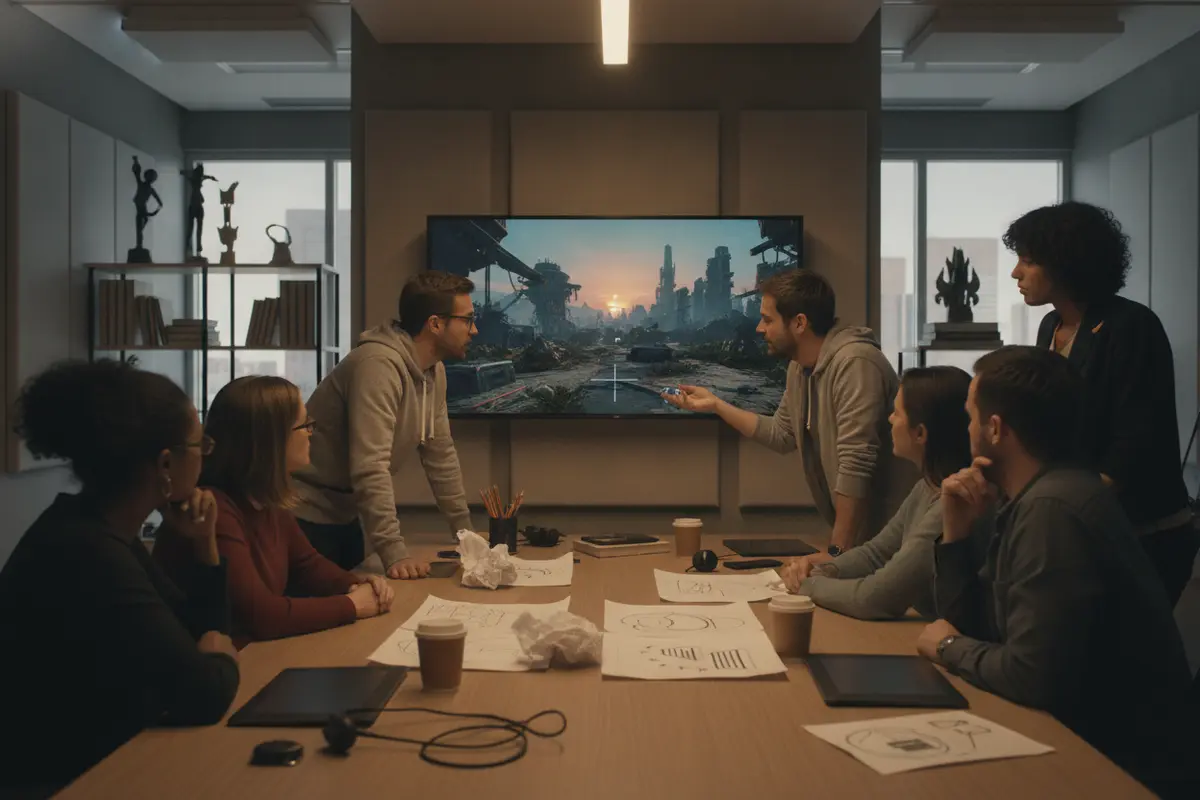
3. Validate the integrated setup
Test components together under representative conditions. That may include the environment, camera and movement, tracking, display or compositing route, practical set elements, and relevant lighting. A component that works in isolation may behave differently as part of the production setup. Rehearse a useful shot, note what the team observes, assign an owner to each issue, and agree on the next decision.
Make the test record specific enough to guide action. Include the shot or setup being assessed, the environment version, the camera conditions, the review participants, unresolved issues, and the outcome. The purpose is not paperwork for its own sake. It is to preserve the knowledge that would otherwise be lost when the team moves from a test session to a later production day.
4. Plan on-set decisions and contingencies
Before photography, agree on who can request a change, who can make it, who checks the revised build, and who approves it for use. Establish a practical point at which changes must be locked or routed through a separate review. Keep a concise shot list that identifies the required environment version, camera setup, key notes, and approval status. That helps the crew work from the same plan.
Define a fallback for shots that do not pass a test or encounter a problem on set. The alternative might be a revised camera move, a different environment version, a change in capture method, or a post-production solution. The appropriate contingency depends on the shot. The goal is not to predict every issue; it is to avoid making the whole sequence depend on an unvalidated assumption.
5. Prepare the downstream handoff
Decide what editorial, visual effects, and finishing teams need to understand about the photographed material. Depending on the production, useful context can include the selected environment version, relevant camera or lighting notes, and any known limitations or planned replacements. Align the handoff with the production’s actual documentation practices instead of assuming that every project needs the same package.
After a test or shoot, compare the result with the original brief. Which assumptions held? Which needed revision? Did the workflow help the creative decision, and were the deliverables clear to the next team? Use those findings to adjust shot selection, asset scope, approvals, and test conditions before expanding the approach. A successful first shot is evidence for that shot under those conditions; it is not by itself proof of a repeatable pipeline.
What risks should you address before the shoot?
Production risk often comes from misaligned expectations rather than from a single piece of technology. A clear brief, representative test, named decision-makers, and fallback plan can make uncertainty easier to manage. Review these risks while there is still room to change scope, sequence, or method.
- Scope expands without a shot-based reason. Tie environment detail and interaction to the image requirements. Review additions against the creative objective and the remaining review and preparation work.
- A polished demo is treated as production validation. Test representative camera movement, lighting, and capture conditions. Record what the demonstration did not test.
- Teams use different meanings of readiness. Define creative approval, technical checks, and production-use status separately, with an owner for each decision.
- Late changes have no route to the stage. Agree on who can request, create, test, and approve a revision, and how it reaches the people operating the setup.
- Real time is assumed to mean effortless change. A change can affect assets, continuity, performance, or other departments. Treat revisions as planned production work.
- No alternative exists for a difficult shot. Decide what happens if a test reveals a limitation. Keep the creative objective while allowing the capture method to change.
- Later teams receive too little context. Agree on useful records and identify which decisions or image elements remain open for finishing.
Clear technical language can help teams discuss requirements and interoperability. The Society of Motion Picture and Television Engineers (SMPTE) is a professional organization focused on motion-picture and television engineering and standards. Its general reference point does not settle a particular project’s configuration; teams should identify the technical documentation and requirements that apply to their own workflow.
How should you assess a virtual production partner?
Look for a partner that can connect creative intent to production execution. Ask how it translates a brief into a test, coordinates specialists, prepares assets for their intended use, and communicates what has not yet been validated. A reel can show visual craft, but it cannot answer every question about collaboration, approvals, or fit with your production.
- How will you identify the highest-risk shots? Ask what the partner would test first and what evidence would support moving to the next milestone.
- Who works across creative and technical decisions? Discuss how art, camera, production, and technical teams share information and resolve changes.
- What does the first milestone deliver? Define the output, review point, decision owner, and conditions for proceeding.
- How are assets prepared for their intended role? Clarify the difference between visualization, testing, and materials planned for photography.
- What happens if the test does not meet its criteria? Look for a decision path and workable alternatives, not only a success scenario.
- Can the engagement be scoped to a defined need? A project may need a focused test or environment contribution, or broader coordination across development and production. Match the scope to the gap.
Arctic7’s virtual-production work is represented by Narwhal Studios. The company’s background includes six in-camera visual effects projects with Lucasfilm, a concrete experience point to explore in relation to your project’s requirements. See Arctic7’s virtual production services, its project portfolio, and the team’s background as starting points for a conversation about scope and fit.
For an IP holder working across games, film, or television, the production plan may also need to connect with wider creative priorities. A shared world can support distinct experiences in different formats without requiring each one to be identical. Ask how approvals, creative principles, and technical plans will connect across teams. You can review Arctic7’s game development capabilities, its broader services, and the author’s team profile.
For additional context, browse Arctic7’s insights and its film and television coverage. These resources can help frame a discussion, while the project brief and a representative test should guide the actual production decision.
When is Unreal Engine the right fit for virtual production?
Unreal Engine is worth evaluating when a project has a clear need for real-time environments, iteration, or visual context that supports its creative and technical workflow. It is not automatically the best route for every scene. Compare the proposed setup with practical photography, previs, conventional visual effects, and hybrid methods based on the intended image, production constraints, and downstream work.
Use these four questions to make the decision more specific:
- What shot or decision should improve? Describe the creative or production benefit in terms the team can review.
- What needs to happen in real time? Identify which elements must respond during visualization or photography, and which can be handled later.
- What must a test prove? Set representative camera, environment, stage, and review conditions; note what the test cannot establish.
- What is the credible alternative? Compare the workload and handoffs for a practical, post-production, or hybrid route, not only the visible setup.
These questions keep a technology decision tied to the project. Some productions may need only a defined environment test. Others may benefit from a partner coordinating creative development and production planning across several teams. The right scope follows from the work that needs to be done, not from the novelty of the tool.
Frequently asked questions
Is Unreal Engine only useful for LED-wall production?
No. It can support real-time environment development and visualization, as well as LED-volume workflows. Its role depends on the production objective and how the team plans to capture, review, and finish the image.
Does virtual production mean a project can skip post-production?
No. Virtual production can change when and where parts of an image are created, but a project may still need compositing, visual effects, editing, color work, or other finishing. Define the handoffs before photography.
Should every scene use a real-time environment?
No. Select scenes based on their creative or production needs. Some may benefit from an environment visible during photography; others may be better served by practical work or conventional post-production.
What should an initial test include?
Include a representative shot, the intended camera movement, a suitable environment version, relevant lighting and capture conditions, and agreed review criteria. Record what the test does and does not prove.
What is a useful first step for an IP holder?
Start with the story, candidate shots, and production constraints. Identify one high-value question to test, then bring the creative and technical decision-makers together to set scope and success criteria.
Discuss your virtual production needs with Arctic7
Virtual production works best when the creative objective, environment, workflow, and team responsibilities are planned together. Start with the shots that matter, test the riskiest assumptions, and choose the approach that serves the project rather than the technology.
New Immersive & XR Media Capabilities Added to Arctic7's Suite of Games, Film & TV and Digital Services

Arctic7 Shares Details of its Work on Skeleton Crew and Cinematics Partnership with Fateless

The Human Touch: Adding Personality to Project and Product Management
Whether it’s your team, your client, or your stakeholders, understanding the human dynamics is just as critical as hitting milestones.

McDonald's Case Study: Bridging Brand and Play | Arctic7
Bridging Brand and Play: An Interview with Lindsay Blenkhorn Daggitt