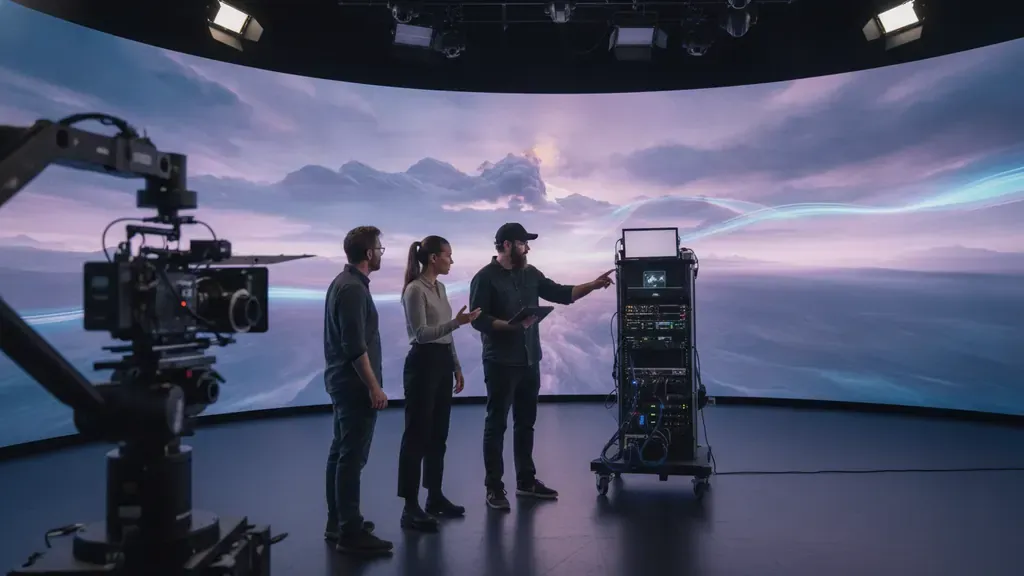

Virtual Production Cost: A Budgeting Framework for IP Holders
Virtual production budgets rarely lose control because of one piece of equipment. They drift when creative ambition, stage requirements, digital environments, crew responsibilities, and post-production handoffs are priced as separate decisions instead of one connected system.
Planning virtual production cost means defining the brief, shot language, schedule, technical dependencies, deliverables, and asset-reuse goals before comparing rates. The right model separates baseline infrastructure from project-specific scope, then tracks how decisions made in development affect stage operations, post, and future formats.
For IP holders, that approach creates a clearer basis for evaluating proposals without assuming virtual production is automatically cheaper. It also reveals where a world asset can serve one production, or become part of a broader entertainment ecosystem. Explore Arctic7's virtual production capabilities.
What drives virtual production cost?
Virtual production cost is a complete-system estimate, not a single stage rate or equipment line. The budget reflects the creative brief, digital environments, stage and technical infrastructure, specialist crew, capture requirements, and finishing work. It also depends on when decisions are made, how clearly scope is defined, and whether assets and workflows are designed for reuse.
A useful estimate therefore follows the production from development through delivery. It accounts for the work required to make the shoot possible, operate it reliably, and finish the captured material to the required standard. Treating only the LED stage or camera package as the cost creates a partial number that can conceal downstream effort.
The main cost categories
- Creative planning: Narrative development, previs, virtual scouting, shot design, technical tests, approvals, and the decisions that establish what must be built and captured.
- Environments and assets: Digital sets, props, characters, lighting systems, materials, optimization, and the level of detail required for real-time rendering. An asset intended for one scene has a different planning profile from a governed world system designed to support several formats.
- Stage and technical infrastructure: LED volume or other display systems, camera tracking, rendering, color management, playback, networking, calibration, data handling, and technical support. The appropriate configuration follows the shot language and schedule, not a generic equipment checklist.
- Crew and capture: Virtual production supervision, the Virtual Art Department, operators, artists, cinematography, production management, performers, camera teams, and the time needed for rehearsals, resets, and live decision-making.
- Finishing and delivery: Editorial, compositing, visual effects, color, sound, versioning, quality control, and any format-specific deliverables that remain after the stage work is complete.
This is why virtual production should not be presented as an automatic cost reduction. Cost control comes from aligning scope, reuse, workflow integration, and decision timing across the whole lifecycle. A production blueprint that defines deliverables, handoffs, and timelines early can expose dependencies before they become expensive changes. It also gives stakeholders a clearer basis for comparing options without turning an unqualified range into a false promise.
Separate fixed infrastructure from project-specific scope
Virtual production cost becomes easier to govern when the budget distinguishes the infrastructure required to operate from the creative and technical work required for this production. The first category establishes a baseline. The second changes with the brief, shot language, schedule, environments, deliverables, and approvals. A third allowance protects the plan from uncertainty without disguising it as a fixed fee.
That distinction matters because virtual production is not automatically cheaper. Cost control depends on planning, scope, reuse, workflow integration, and decision timing, not on choosing a particular technology in isolation. A production blueprint that defines deliverables, workflows, and timelines gives stakeholders a shared basis for testing assumptions before they become expensive changes. Arctic7's production planning approach follows this principle.
| Budget layer | What it covers | Questions to resolve |
|---|---|---|
| Baseline infrastructure | Stage access, core display and tracking capability, standard technical supervision, and the operating setup required to capture planned work. | What capability is already available? What must be reserved, configured, or staffed for the production window? |
| Project-specific scope | Environment creation, asset preparation, look development, previs, real-time rendering, capture requirements, additional crew, and format-specific deliverables. | How many environments, shots, revisions, outputs, and reuse requirements are in the approved brief? |
| Risk and change allowance | Defined capacity for unresolved creative decisions, technical discovery, schedule movement, retakes, or approved scope changes. | Which assumptions remain untested, who can approve a change, and how will its impact be recorded? |
Do not treat the baseline as a universal day rate. A stage setup can be technically available while the project still requires substantial work in environments, assets, integration, testing, or post-production. Conversely, a reusable world system may require more development early but support multiple formats later. The budget should therefore show both immediate production requirements and deliberate investment in assets or tooling that the IP holder intends to reuse.
Keep the risk allowance visible rather than burying it across line items. For each provisional amount, record the assumption, decision owner, trigger date, and consequence of changing course. This turns a contingency from a vague buffer into a management tool. It also gives producers a more useful conversation than a single headline number. Because every stakeholder can see which decisions are driving the estimate and which costs are genuinely fixed.
How do LED stage and tracking choices affect virtual production cost?
Virtual production cost is shaped by the relationship between the stage, the camera, the rendered world, and the crew operating them. A larger LED footprint may support wider compositions, but it also increases display, content, calibration, and playback demands. Higher pixel density can improve close shots while raising processing and infrastructure requirements. The right specification is therefore the one that serves the shot language, not the largest stage available.
Camera distance is an early budgeting variable. If the camera moves close to the wall, the production may need finer pixel pitch. Stronger moire control, more precise lens testing, and additional content beyond the camera frustum. A stage designed primarily for medium or wide shots may not need the same technical specification. Defining shot sizes, movement, and expected lens packages before booking the stage gives the team a defensible basis for comparing options.
Tracking and calibration are production dependencies
Camera tracking turns physical movement into a responsive view of the digital environment. Its cost is not limited to the tracking hardware. The workflow also depends on lens calibration, camera preparation, tracking technicians, testing time, and a reliable handoff between the stage and real-time content team.
A tracking setup that is technically capable but insufficiently rehearsed can create delays when the camera, lens, and virtual camera disagree.
Lens calibration deserves its own line in the estimate. Different lenses, camera bodies, focus pulls, and distortion profiles can change the setup effort. If the production expects frequent lens changes or complex moves, budget for testing and technical rehearsal rather than treating calibration as an invisible pre-shoot task. The objective is not simply to make the wall display an image. It is to make the physical and digital elements behave as one camera system.
Render capacity, playback, and rehearsal affect the schedule
Real-time rendering capacity must match scene complexity, resolution, frame rate, lighting behavior, and the number of outputs required. Playback systems, media servers, synchronization, backup paths, and operator coverage add further dependencies.
Test these choices against representative shots, especially those with rapid camera movement, reflective surfaces, interactive lighting, or dense environments.
Research on virtual manufacturing describes collaborative testing and process optimization as benefits of connected virtual workflows, while digital-twin cost estimation accounts for an organization's existing level of digitization. The useful budgeting lesson is analogous: estimate from the actual starting point and tested workflow, not from an equipment category alone (virtual manufacturing research; digital-twin cost-estimation methodology).
A credible estimate should therefore separate stage footprint, display specification, tracking and calibration, render and playback capacity, crew, and rehearsal days. That structure makes trade-offs visible. It also helps production leaders identify whether a proposed saving removes capability, reduces shot complexity, or simply moves technical work into an unbudgeted part of the schedule.
Creative planning is a cost-control decision
Creative planning influences virtual production cost long before a stage day is booked. A useful plan turns creative intent into decisions that departments can test, approve, and share. Previsualization, virtual scouting, camera blocking, look approval, and pre-lighting are not administrative layers added around production. They are ways to expose uncertainty while changes are still easier to coordinate.
That matters because fragmented workflows make multi-platform work harder to govern. Arctic7's production blueprint is designed to define deliverables, workflows, and timelines while keeping stakeholders aligned around a scalable vision. Its narrative and worldbuilding workshops also bring cross-format thinking into development, before separate teams make decisions that may later conflict.
Use previs to test the shot language
Previs gives the director, cinematographer, VFX supervisor, virtual art department, and editorial team a shared object to review. Camera blocking can establish lens intent, eyelines, screen direction, movement, and the relationship between performers and digital environments. When those choices are reviewed early, the team can identify shots that need a different stage footprint. Tracking approach, asset detail level, or lighting plan before those dependencies reach the shoot.
Approve the look before the schedule hardens
Virtual scouting and look approval connect the creative brief to the actual environment. Teams can examine the world from planned camera positions, test how lighting interacts with the screen content, and agree on what must be live, rendered, or finished later. Pre-lighting then gives production a defined starting point instead of leaving every visual decision to the stage day.
This is also where cross-department planning has practical value. A production blueprint can connect deliverables and timelines across art, VAD, Unreal or Unity tooling, camera, lighting, editorial, and post. Arctic7 identifies tooling, production pipelines, and Unreal Engine and Unity support as part of its broader capability set. The goal is not to promise a particular saving. It is to make scope, ownership, and decision timing visible enough for the production team to manage them.
For a relevant example of production experience, see the Ant-Man and the Wasp: Quantumania case study. The case study should be read as a production reference, not as evidence of a universal budget outcome.
Assets and environments can be an expense or an IP investment
Reusable environments can turn a one-project production asset into a longer-term IP foundation, but only when rights, source files, versions, technical documentation, and cross-format requirements are defined early. Treating reuse as a governance and pipeline decision helps teams avoid rebuilding assets later without assuming that every asset will reduce the budget.
Assets and environments affect virtual production cost long after a stage day ends. Built only for one sequence, a digital set behaves like a project expense. Designed as a governed part of the intellectual property, it can support later episodes, interactive experiences, games, marketing, and other formats.
The difference is not automatic reuse. It comes from decisions about rights, structure, technical quality, documentation, and ownership made early enough to influence the build.
For an IP holder, the practical question is whether the asset is being commissioned as a finished image or as a maintained world system. That distinction should be explicit in the brief, the schedule, and the delivery requirements.
Define rights and versioning before production begins
Start by documenting who can use each environment, character, prop, material, and texture, where it may appear, and how long those rights last. A model that can be used in a film but not adapted for a game is not fully reusable. Neither is an environment delivered without editable source files, technical notes, or a clear record of third-party components.
Versioning matters just as much. Establish naming conventions, approval states, dependencies, and a change log so the stage team, editorial, VFX, and downstream developers know which asset is authoritative. This prevents a later format from rebuilding a world because no one can determine which files are current. A production blueprint that defines deliverables, workflows, and timelines can keep stakeholders aligned around that scalable vision, rather than treating asset management as an afterthought.
Optimize for the formats that may follow
Reuse does not mean placing the highest-resolution cinema asset directly into every platform. It means planning a family of versions: a stage-ready environment, a render-optimized version, and appropriately simplified assets for real-time or interactive use. Materials, lighting logic, collision data, metadata, and technical constraints should be documented alongside the files. That documentation is part of the asset's value because it lets another team understand, test, and adapt the work without guessing.
Arctic7 combines narrative and worldbuilding workshops with cross-format system design, while its tooling and production pipelines include Unreal Engine and Unity support. Through Narwhal Studios, it also brings dedicated virtual production and Virtual Art Department capability, including six ICVFX projects with Lucasfilm. These are capability proof points, not promises of a particular saving or price outcome.
The strongest virtual production cost model therefore assigns a clear purpose to every asset: one-shot requirement, reusable production component, or strategic IP foundation. That classification helps leadership decide where governance and documentation deserve investment, without assuming that every digital object should be built for every possible future.
Model the crew and workflow, not just the equipment
Virtual production cost includes the people who turn creative intent into a repeatable stage process. The equipment may be visible in a quote, but coordination, technical decisions, data handoffs, and post-production determine whether that equipment supports the shoot efficiently. A useful budget therefore maps responsibility across the full lifecycle, rather than treating the LED volume as the production system.
| Function | Primary responsibility | Key handoff to model |
|---|---|---|
| Virtual production supervisor | Connects creative, technical, stage, and post requirements across the shoot. | Decision ownership, approvals, schedule dependencies |
| VAD and environment artists | Build, optimize, and maintain environments, assets, lighting logic, and shot-ready content. | Asset scope, revisions, optimization, reuse requirements |
| Unreal operators and technical artists | Prepare real-time scenes, manage playback, and support live creative iteration. | Scene complexity, tooling, version control, render needs |
| Stage, LED, tracking, and playback technicians | Keep the display, camera tracking, signal path, and playback systems synchronized. | Testing, stage time, technical contingencies |
| Camera and stage management | Coordinate photography, blocking, lens choices, crew movement, and daily stage operations. | Setup time, changeovers, shooting constraints |
| Data, editorial, VFX, and post | Protect capture data, organize turnovers, complete integrations, and finish the final work. | Storage, metadata, cleanup, finishing, delivery specifications |
The practical budgeting question is not simply how many specialists appear on the call sheet. It is where a decision is made, who must act on it, and what downstream work it creates. A late environment change can affect technical-art preparation, playback, stage testing, editorial turnover, and VFX. Clear ownership and documented handoffs expose those dependencies early.
That is why a production blueprint should define deliverables, workflows, and timelines before the stage schedule is fixed. Arctic7 describes this kind of blueprint as a way to keep stakeholders aligned around a scalable vision, while its production pipeline work includes Unreal Engine and Unity support. These are workflow capabilities, not promises of a universal price reduction, and they should be evaluated against the brief. Explore production pipeline and Unreal Engine support.
For a deeper view of how responsibilities connect across pre-production, stage work, and finishing, review this virtual production pipeline guide. The more explicitly those connections are modeled, the more useful the virtual production cost estimate becomes.
How should you model virtual production cost?
A useful virtual production cost model starts with the brief, not a stage day rate. Break the work into what must be delivered, how it will be captured, which environments and assets are required, and what will happen after the shoot. Then record the assumptions behind every line. This makes the budget responsive to creative decisions instead of disguising uncertainty inside a single production total.
Use a three-layer worksheet: scope, production system, and lifecycle value. Each layer should show a cost owner, a timing point, a dependency, and whether the work is project-specific or reusable. Arctic7 describes its production blueprint as a way to define deliverables, workflows, and timelines while keeping stakeholders aligned around a scalable vision. That is the right governance principle for a serious estimate, but it is not an Arctic7 price quote.
- Define output and deliverables. List the finished episodes, shots, formats, runtime, resolution, distribution versions, and approval milestones. Separate capture days from previs, asset creation, editorial, visual effects, color, sound, and delivery. If the same world or character must support film, television, games, or other formats, identify the reuse requirement now rather than adding it after capture. This is where the first layer establishes the actual scope.
- Describe the camera language. Document the number and type of shots, camera movement, lens requirements, frame rate, lighting complexity, practical elements, and tolerance for real-time iteration. A locked-off dialogue scene and a fast-moving action sequence may use the same stage, but they create different tracking, rendering, crew, and testing demands. Treat those differences as assumptions that can be challenged before they become overruns.
- Map environments, assets, and stage configuration. Record what already exists, what must be built, what needs optimization for real-time rendering, and what will be retained for later productions. Add LED volume or other display requirements, tracking, playback, rendering, color management, data capture, stage crew, and technical rehearsals. Keep prep visible. Missing prep is not eliminated cost; it is deferred cost and schedule risk.
- Price the lifecycle and test the assumptions. Add development, workshops, asset governance, production capture, finishing, storage, maintenance, revisions, and reuse. Mark each line as confirmed, estimated, or excluded. Arctic7's ICP describes some virtual-production engagements by team size and schedule, but those are audience and deal-characteristic context, not standard market prices or Arctic7 quotes. Cite the source and never use it as a bid substitute: Arctic7 services context.
The worksheet should end with a decision log. Note which creative choices are approved, which assets are reusable, which technical tests remain open, and who owns each assumption. Virtual production is not automatically cheaper. Cost control depends on planning, scope, reuse, workflow integration, and decision timing. A transparent model lets the production team compare those trade-offs before the schedule makes them expensive.
Which scope decisions create the most budget risk?
Virtual production cost becomes difficult to control when decisions remain coupled, provisional, or unowned after work has begun. The greatest exposure is rarely one piece of equipment. It is the chain reaction created when an environment changes, a camera move has not been tested. Or an approval arrives after the team has built around a different assumption.
Review risk at the decision level. Ask which choices are still reversible, which depend on other departments, and which will create new work in the VAD, stage, editorial, VFX, or rights pipeline. This makes uncertainty visible before it becomes a schedule problem.
Late or coupled decisions create budget risk because they force multiple teams to revise work at once. An evolving environment can invalidate lighting, tracking, blocking, and playback tests. An unplanned stage change can affect capture, crew, rendering, and post-production. Missing approvals, unclear reuse rights, and late deliverables extend handoffs and make the final scope harder to govern. Cost control therefore depends on planning, scope, workflow integration, and decision timing, not on assuming virtual production is automatically cheaper.
Run a decision-level risk review
- Environment readiness: Which environments are approved, and which are still changing? Identify whether a revision affects layout, lighting, materials, performance, or downstream shots.
- Camera language: Have critical camera moves been tested against the available stage, tracking, lens, and playback setup? Treat untested moves as production assumptions, not confirmed scope.
- Stage requirements: Are screen configuration, capture needs, technical rehearsals, and operating constraints documented? Any late stage change should trigger a cross-department review.
- Approvals: Who can approve creative, technical, and editorial decisions? Set a clear owner and decision date for each dependency.
- Rights and reuse: Are the permissions for environments, characters, scans, and derived assets clear across film, television, games, and future releases?
- Deliverables: Are formats, versions, review rounds, handoff dates, and post-production responsibilities explicit? Late deliverables can create avoidable rework across a fragmented workflow.
A production blueprint that defines deliverables, workflows, and timelines gives stakeholders a shared basis for escalating these risks early. That governance matters especially when a project must support real-time iteration and less siloed pre-production and post-production workflows, two priorities identified for film and television buyers. Integrated transmedia services can help connect those decisions across the lifecycle.
What should an IP holder ask before requesting a quote?
A useful quote depends on a clear production brief. Before requesting one, define the creative objective, technical approach, assets, approvals, schedule, deliverables, and boundaries. The more precise the brief, the easier it is to distinguish project-specific scope from assumptions that could otherwise create risk later.
Ask for a quote that explains how the proposed workflow connects development, stage operations, post-production, and future asset reuse. This matters because cost control depends on planning, scope, workflow integration, and decision timing, not on treating virtual production as an automatic cost reduction.
Creative and technical scope
- What creative outcome must the production achieve, and which shots or sequences are in scope?
- Which visual references define the environments, lighting, camera language, and final look?
- What camera, lens, tracking, rendering, and stage requirements follow from that shot plan?
- How many stage days are assumed, and what is the planned rehearsal, capture, and contingency schedule?
Assets, approvals, and rights
- Which environments, characters, props, animations, plates, and other assets already exist?
- What condition are those assets in, and who owns the rights to modify, reuse, or distribute them?
- Who approves creative, technical, legal, and brand decisions, and how quickly must those approvals happen?
- Should assets be built only for this production, or governed for reuse across film, television, games, or immersive experiences?
Deliverables and commercial assumptions
- What exactly must be delivered: stage-ready environments, captured material, final shots, source files, tools, documentation, or post-production support?
- What security, data-handling, access-control, confidentiality, and storage requirements apply?
- Which services, revisions, travel, equipment, personnel, overtime, licensing, and post-production activities are excluded?
- What assumptions would change the scope if the schedule, shot count, asset status, or approval process changes?
A production blueprint can help define deliverables, workflows, and timelines while keeping stakeholders aligned around a scalable vision. Arctic7 describes this planning approach alongside narrative and worldbuilding workshops, tooling, and production-pipeline support. The objective is not to force certainty too early. It is to make uncertainty visible, assign ownership, and give every cost-bearing decision a clear place in the plan.
Frequently Asked Questions
Is virtual production expensive?
It can be, but there is no universal day rate or fixed answer. Cost depends on the brief, stage and tracking requirements, environment complexity, crew, schedule, post-production, and asset deliverables. Treat virtual production as a connected production system, then control cost through scope, decision timing, workflow integration, and planned reuse.
What are the main types of virtual production cost?
Model cost across development, stage operations, post-production, and reusable world assets. Development may include narrative planning, previs, virtual scouting, and environment preparation. Stage operations cover crew, technology, and shoot time. Post-production includes finishing and integration. Reusable assets require governance, technical standards, storage, and future adaptation.
How much does a virtual production project cost?
A credible estimate requires more than a runtime or stage quote. Define the shot language, locations, environments, schedule, deliverables, technical pipeline, crew model, and intended reuse first. Then separate fixed infrastructure from project-specific scope and document assumptions, exclusions, contingency, and approval points before requesting comparable bids.
When should an IP holder plan virtual production cost?
Start during development, before creative and technical decisions become expensive to change. Establish the production blueprint, asset strategy, stage requirements, workflow ownership, and handoffs early. Revisit the model at design lock, stage planning, and post-production handoff so scope changes remain visible and reusable assets are not treated as an afterthought.
Ready to build a clearer virtual production plan?
A production brief gives the team a practical starting point for connecting creative goals, stage operations, post-production needs, and reusable world assets. That makes the planning conversation more specific without reducing the work to a generic day rate.
Share your production brief with Arctic7 to scope your virtual production plan.
New Immersive & XR Media Capabilities Added to Arctic7's Suite of Games, Film & TV and Digital Services

Arctic7 Shares Details of its Work on Skeleton Crew and Cinematics Partnership with Fateless

The Human Touch: Adding Personality to Project and Product Management
Whether it’s your team, your client, or your stakeholders, understanding the human dynamics is just as critical as hitting milestones.

McDonald's Case Study: Bridging Brand and Play | Arctic7
Bridging Brand and Play: An Interview with Lindsay Blenkhorn Daggitt