
How to Design Environments for Virtual Production in UE4
The role of the set has fundamentally changed. It's no longer a static backdrop added in post-production; it's a dynamic, interactive world that actors can see and react to in real-time. This shift is at the heart of virtual production, a method that merges the physical and digital realms right on the soundstage. But creating a world that is both visually stunning and technically stable requires a specific set of skills. It’s a blend of cinematic artistry and real-time optimization. This is the core of environment design for virtual production in Unreal Engine 4. This article will walk you through the foundational pillars of building these immersive environments, from initial setup and asset creation to lighting and performance, giving you a clear understanding of the process.
Key Takeaways
- Make Creative Decisions in Real-Time: Unreal Engine's greatest strength is showing you the final shot live on set. This empowers your team to experiment and solve problems instantly, collapsing the traditional production timeline and ensuring your creative vision is fully realized.
- Assemble the Right Toolkit for Your World: While the engine is powerful, specialized tools for assets (Quixel), materials (Substance), and foliage (SpeedTree) are essential for building immersive worlds efficiently. A smart toolkit, combined with the right hardware, is the foundation for achieving high-fidelity visuals.
- Prioritize Performance from the Start: Real-time performance is non-negotiable for a smooth production. Treat optimization as a core part of the design process by managing asset detail (LODs), using efficient lighting, and culling unseen objects to guarantee a stable frame rate on set.
Why Use Unreal Engine for Virtual Production?
When you’re building a new world for your audience, the tools you choose can either limit your vision or set it free. Unreal Engine has become the industry standard for virtual production because it removes many of the traditional barriers between imagination and execution. It’s a powerful platform that allows creative teams to build, shoot, and finalize cinematic scenes in a more fluid and collaborative way. Instead of separating pre-production, filming, and post-production into distinct, rigid phases, Unreal Engine helps merge them. This means you can make critical creative decisions with immediate visual feedback, ensuring the final product is exactly what you envisioned. For IP holders looking to expand their universes, this engine provides the technical foundation to create stunning, cohesive experiences across different media.
Render Your World in Real-Time
The single biggest advantage of Unreal Engine is its ability to render complex, photorealistic scenes in real-time. This means you don’t have to wait hours or even days to see what your final shot will look like. As a powerful real-time 3D creation tool, it allows you to build any environment you can dream up and see it come to life instantly. For directors and cinematographers on set, this is revolutionary. You can adjust lighting, change the time of day, or move entire mountains with a few clicks and see the results immediately through the camera’s viewfinder. This instant feedback loop accelerates the creative process, saves significant time and budget, and allows for more experimentation and on-the-fly problem-solving.
Script Visually with Blueprints
You don’t need to be a programmer to create dynamic, interactive worlds in Unreal Engine. The platform’s visual scripting system, known as Blueprints, allows artists and designers to build complex gameplay mechanics and environmental triggers using a simple node-based interface. This empowers your creative team to add interactivity to a scene—like doors that open when an actor approaches or weather that changes based on the story’s emotional beat—without writing a single line of code. This accessibility gives virtual production teams a powerful way to seamlessly combine virtual elements with live-action footage, making the digital world feel more responsive and alive.
Integrate Seamlessly with LED Volumes
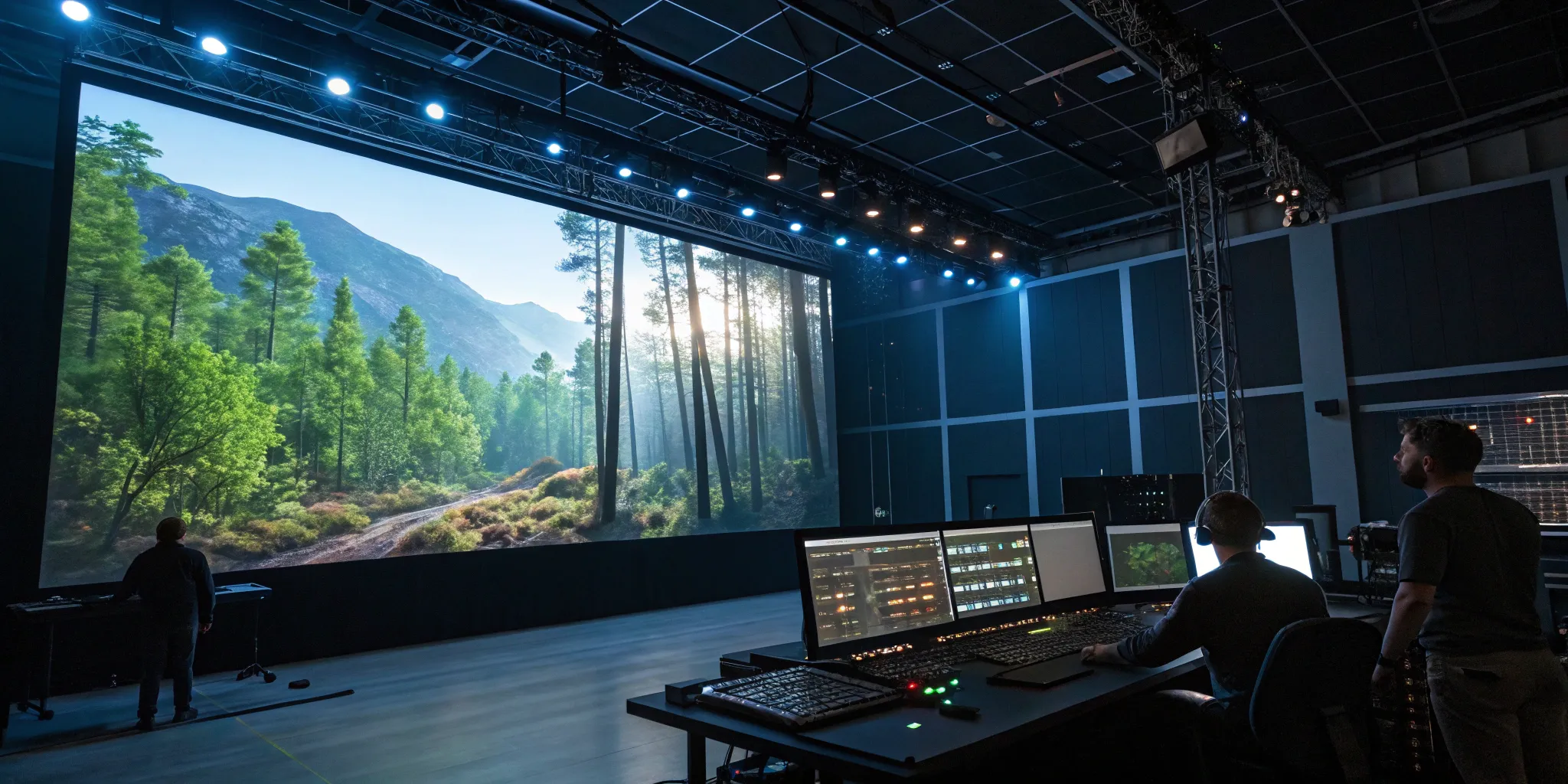
Modern virtual production relies heavily on LED volumes, which are large stages surrounded by high-resolution LED screens. Unreal Engine is designed to integrate perfectly with this technology. The engine projects your custom 3D environment onto the screens, creating an immersive backdrop that actors can see and interact with. This method produces realistic lighting and reflections directly in-camera, which is a massive improvement over traditional green screens. As seen in productions like Marvel Studios' Ant-Man and The Wasp: Quantumania, this technique allows for the creation of visually stunning final shots right on set, giving actors a tangible world to perform in and reducing the burden on post-production teams.
Use Virtual Cameras Built for Filmmakers
Unreal Engine speaks the language of cinematography. It includes a suite of virtual camera tools that mimic real-world equipment, from camera cranes and dollies to customizable lenses and depth of field settings. This allows filmmakers to use familiar techniques to frame shots, plan camera movements, and block scenes within the virtual environment. Directors can scout digital locations and experiment with different angles long before filming begins. This bridge between traditional filmmaking and digital creation makes the technology intuitive for experienced crews and gives them precise control to capture breathtaking shots that will stun audiences.
Your Essential Toolkit: Tools and Plugins
While Unreal Engine is incredibly powerful right out of the box, the real magic happens when you pair it with specialized tools and plugins. Think of it as building your ultimate digital workshop. Having the right software in your toolkit not only speeds up your workflow but also pushes the quality of your virtual environments to a whole new level. These tools are designed to handle specific, complex tasks—like generating a realistic forest or creating a massive mountain range—so you can focus on the creative vision.
At Arctic7, our transmedia projects rely on a carefully selected set of tools to build immersive worlds efficiently and at the highest fidelity. Integrating these powerful plugins into your pipeline allows your team to create stunning, photorealistic scenes that are optimized for real-time performance. Below are some of the essential tools we believe every virtual production artist should have at their disposal. They handle the heavy lifting, giving you more time to perfect the details that will truly captivate your audience.
Access a Massive Asset Library with Quixel
Creating every single asset from scratch is a huge time sink. That's where Quixel comes in. Its suite of tools—Bridge, Megascans, and Mixer—gives you access to a massive, ever-growing library of photorealistic 3D assets, textures, and surfaces. The Quixel Megascans library contains thousands of high-quality, production-ready assets scanned from real-world locations.
You can use Quixel Bridge to browse and export these assets directly into your Unreal Engine project with just a few clicks. This seamless integration means you can build out rich, detailed environments in a fraction of the time it would normally take. It’s an indispensable resource for adding layers of realism and complexity to your virtual sets without blowing your schedule.
Create Dynamic Materials with Substance
The way light interacts with surfaces is a huge part of what makes a scene feel real. For creating believable and highly detailed materials, nothing beats the Substance 3D suite by Adobe. This powerful software allows artists to design dynamic, customizable materials that can be easily integrated into Unreal Engine.
Instead of using static textures, you can create materials that respond to their environment—think metal that rusts, wood that weathers, or fabric that gets dirty. This level of detail adds a layer of history and tangibility to your virtual world, making it feel lived-in and authentic. It’s a must-have for achieving the kind of visual fidelity that modern audiences expect from top-tier productions.
Build Expansive Terrains with World Machine
When your story calls for a vast, sweeping landscape, sculpting it by hand is simply not practical. For creating expansive terrains, World Machine is an incredibly powerful tool. It uses procedural generation to create realistic mountains, canyons, rivers, and other natural formations based on a set of rules you define.
This approach allows you to generate entire continents with convincing erosion and geological features that would take months to create manually. Once you’re happy with the result, you can easily import the terrain into Unreal Engine as the foundation for your virtual world. It’s the perfect tool for building the epic, world-spanning backdrops that make stories feel larger than life.
Design Realistic Foliage with SpeedTree
Creating convincing trees, plants, and grass is one of the biggest challenges in environment design. Foliage is complex, with countless leaves and branches that need to move realistically in the wind. SpeedTree is the industry-standard software designed specifically to solve this problem.
It allows you to generate, model, and animate everything from a single hero tree to an entire forest with incredible detail and efficiency. The software is optimized for real-time performance, ensuring your lush environments don’t bring your frame rate to a crawl. With its seamless Unreal Engine integration, SpeedTree makes it possible to populate your virtual sets with vibrant, natural-looking vegetation that truly brings your world to life.
Improve Performance with Nvidia DLSS
In virtual production, real-time performance is non-negotiable. You need smooth, stable frame rates on set to make creative decisions with confidence. Nvidia’s DLSS (Deep Learning Super Sampling) is a groundbreaking technology that uses AI to help you achieve this.
DLSS renders your scene at a lower internal resolution and then uses its AI model to intelligently upscale the image to your target resolution. The result is a significant performance gain with minimal to no perceptible loss in visual quality. This allows you to use more complex models, higher-resolution textures, and more sophisticated lighting in your scenes, all while maintaining the smooth frame rates essential for a real-time workflow.
How to Set Up Your First Virtual Environment
Building your first virtual environment is where your creative vision starts to take shape. This initial setup is the foundation for your entire production, so getting it right is essential for a smooth workflow. It involves configuring your project in Unreal Engine, connecting your physical cameras to their digital counterparts, integrating your LED display, and organizing all your digital assets. By breaking the process down into these four key stages, you can tackle the technical setup with confidence and create a stable, high-performance environment ready for filming.
Configure Your Project and Choose a Template
Starting your project correctly saves you from major headaches down the line. Unreal Engine offers several templates, and for this kind of work, the Virtual Production template is your best starting point. It comes pre-loaded with many of the essential plugins and settings you’ll need. Once you’ve created your project, you’ll want to double-check that key plugins like Live Link and nDisplay are enabled, as these are crucial for connecting your camera and LED wall. Taking the time to set up your project correctly ensures all the underlying systems are optimized for the demands of real-time rendering, giving you a solid base to build upon.
Set Up Your Cameras and Motion Tracking
To make your virtual world feel real, the digital camera inside Unreal Engine must perfectly mimic the movement of your physical camera on set. This is achieved through camera tracking. You’ll need hardware like an HTC Vive Pro and Vive Trackers to follow the camera’s every pan, tilt, and dolly. This data is sent to Unreal Engine via the Live Link plugin, creating a seamless connection between the real and virtual worlds. This synchronization is what allows directors and cinematographers to frame shots naturally, as if they were on a physical location. The accuracy of your camera tracking is what sells the illusion, making it a non-negotiable part of your setup.
Integrate and Calibrate Your LED Wall
The LED wall, or "volume," is your window into the digital environment. Shows like The Mandalorian have made this technology famous, using massive LED panels to display hyper-realistic backgrounds that immerse the actors in the scene. Integrating this wall with Unreal Engine is handled by a system called nDisplay, which splits the rendered image across all the panels to create one cohesive world. After integration, calibration is key. You need to adjust the color, brightness, and lens distortion so the environment on the wall looks perfect through the camera lens. This ensures the digital background blends flawlessly with your physical set and actors, creating a believable final image.
Organize Your Asset Pipeline
Your virtual environment is built from countless digital assets—3D models, textures, materials, and more. A well-organized asset pipeline is the key to managing this complexity. Start by establishing a clear folder structure and consistent naming conventions so your team can find and use assets efficiently. This becomes especially important as the project grows. A strong pipeline ensures that every element, from large background geometry to detailed foreground props, can be easily placed, updated, and optimized. This level of organization is a critical part of the layout and staging process, allowing you to create visually compelling shots without getting lost in digital clutter.
How to Create Realistic Lighting for Virtual Sets
Lighting is what sells the illusion. It’s the single most important element for blending your physical and digital worlds into one cohesive, believable reality. Get it right, and your audience will be completely immersed; get it wrong, and the entire scene can feel artificial. Great lighting isn't just about visibility—it’s about creating mood, directing the viewer's eye, and telling a story. In Unreal Engine, you have a powerful suite of tools to craft lighting that feels both natural and cinematic. The key is to understand the fundamental principles and how to apply them within your virtual environment.
Choose Between Dynamic and Static Lighting
Your first major lighting decision in Unreal Engine is whether to use dynamic or static lighting, and the right answer is usually a combination of both. Dynamic lighting is calculated in real-time, meaning it can change, move, and react to characters and objects in your scene. This is essential for things like a character carrying a flashlight or the interactive lighting from a virtual explosion. As Perforce Software notes, dynamic lighting is crucial for real-time adjustments. The trade-off is that it’s more demanding on performance.
Static lighting, on the other hand, is pre-calculated and "baked" into your environment's textures. It produces beautiful, soft, and realistic global illumination and shadows with very little performance cost at runtime. However, it can't be changed once the scene starts. The best approach is often a hybrid one: use static lighting for your overall ambient light and environmental sources that don't move, and reserve dynamic lights for key interactive elements.
Use HDRI Maps for Natural Light
If you want to quickly create a baseline of stunningly realistic, natural light, High Dynamic Range Image (HDRI) maps are your best friend. An HDRI is a 360-degree panoramic image that contains a massive range of lighting data from a real-world location. When you use one as a skylight in Unreal Engine, it projects that light and color information onto your entire scene. This instantly gives you complex, nuanced lighting with accurate shadows and reflections that would take ages to create manually.
This technique is a cornerstone for creating virtual production environments because it allows you to perfectly match the lighting of a real-world set. By capturing an HDRI on your physical set, you can replicate those exact lighting conditions in your virtual one, ensuring a seamless blend between the two. It’s one of the most effective ways to ground your digital assets in reality.
Control the Mood with Color and Temperature
Lighting is one of your most powerful storytelling tools. Beyond simple illumination, the color and temperature of your lights dictate the entire mood and emotional tone of a scene. Warm, golden light can make a space feel inviting, nostalgic, or even tense, while cool blue or green tones can evoke feelings of serenity, mystery, or unease. This is where your artistic eye comes into play.
Think like a cinematographer. What emotion do you want the audience to feel? Use Unreal Engine’s post-processing volumes to fine-tune the color grading, saturation, and contrast of your final image. You can create different moods and tell a story just by adjusting these values. A subtle shift in color temperature can be the difference between a scene feeling romantic or chilling. Don't just light for realism; light with intention.
Master Your Shadows and Reflections
Nothing breaks the illusion of a virtual set faster than poor shadows and reflections. They are the subtle cues that tell our brains an object truly exists within its environment. Pay close attention to the quality of your shadows. Are they sharp and defined, like on a sunny day, or soft and diffuse, like on an overcast one? Unreal Engine gives you precise control over shadow softness, which adds incredible depth and realism.
Reflections are just as important. They ground objects by showing the world around them on their surfaces. With technologies like real-time ray tracing, you can achieve incredibly accurate reflections that make materials like metal, glass, and water look photorealistic. As experts from The Gnomon Workshop point out, mastering shadows and reflections is essential for making a scene more immersive. Always check how your assets look from multiple angles to ensure the lighting, shadows, and reflections hold up.
How to Optimize Your Environment for Peak Performance
Creating a stunning virtual environment is one thing; making it run flawlessly in real-time is another challenge entirely. Optimization is the crucial step that bridges the gap between a beautiful digital asset and a functional on-set tool. A virtual set that stutters or drops frames during a take can disrupt the entire production, costing valuable time and money. This is where technical artistry becomes just as important as creative vision.
Think of optimization as preparing your environment for its live performance. It involves a series of strategic technical adjustments to ensure your scene renders smoothly without sacrificing the visual quality that makes it so immersive. By focusing on a few key areas, you can guarantee your virtual world is ready for its close-up and can handle the demands of a real-time production pipeline. Let’s walk through the most effective techniques for getting your Unreal Engine environment running at its best.
Manage Your Level of Detail (LODs)
Level of Detail, or LODs, are your best friend for managing performance without anyone noticing. The concept is simple: you create multiple versions of an asset, each with a different polygon count. The highest-detail version appears when the camera is close, and as the camera moves away, the engine automatically swaps in the lower-detail versions. This means you’re not wasting processing power rendering intricate details on an object that’s just a speck in the distance.
A smart LOD strategy involves creating art-directed foreground geometry for close-ups while using simplified meshes for mid-ground and background elements. You can automatically generate LODs within Unreal Engine or create them manually for more precise control. This ensures your hero assets look perfect up close while the overall scene remains lightweight and efficient.
Reduce Draw Calls and Optimize Meshes
Every object in your scene sends a "draw call" to the graphics card, telling it what to render. Too many of these calls can create a performance bottleneck. One of the most effective ways to reduce draw calls is by merging multiple smaller meshes into a single, larger one. For example, instead of having a hundred individual books on a shelf, you can combine them into one object.
Many pre-made environments you might purchase online aren't built for the rigors of virtual production and often require significant adjustments. You’ll need to go through and optimize your static meshes by reducing unnecessary polygons and combining assets where it makes sense. This cleanup process is essential for making an environment run smoothly on set.
Implement Smart Texture Strategies
High-resolution textures can quickly eat up your memory budget, leading to performance issues. A smart texture strategy is all about efficiency. Use texture resolutions that are appropriate for the asset’s screen size—a small prop in the background doesn’t need a 4K texture map. You can also use texture atlases, which combine multiple textures into a single sheet, to reduce memory usage and draw calls.
Beyond resolution, focus on creating efficient materials. Complex shaders can be just as demanding as large textures. You can often use lighting and post-processing to create different moods and add visual complexity, rather than relying on resource-heavy materials. Regularly auditing your texture memory will help you identify which assets are the biggest offenders and where you can make the most impactful changes.
Use Culling to Improve Performance
Why render what you can’t see? Culling is the process of telling the engine to ignore objects that are not in the camera’s view. Unreal Engine does some of this automatically with Frustum Culling, which prevents anything outside the camera’s frame from being rendered. However, you can gain even more performance by implementing other culling methods.
Occlusion Culling, for instance, prevents the engine from rendering objects that are hidden behind other objects. You can also set up Distance Culling to stop rendering small objects once they are far enough away from the camera. By fine-tuning these visibility and occlusion settings, you ensure that your system’s resources are focused only on what is visible, which is critical for maintaining a stable frame rate during a shoot.
What to Consider for Real-Time Performance
Real-time performance is the magic behind virtual production. It’s what allows directors, actors, and the crew to see the final composite shot live on set, reacting and adjusting in the moment. But this magic requires serious technical horsepower and smart planning. If your virtual environment stutters, lags, or crashes, the entire illusion falls apart, costing you valuable time and creative momentum. Keeping your project running smoothly means paying close attention to the relationship between your creative ambitions and your technical limitations. It’s a balancing act that involves your hardware, your rendering pipeline, how you manage memory, and your ability to maintain a consistent frame rate. Getting these four elements right is fundamental to a successful virtual production shoot.
Understand Your Hardware Needs
Virtual production is one of the most demanding tasks you can throw at a computer, so you can’t afford to skimp on hardware. Your CPU, or central processing unit, is the brain of your workstation, and it handles countless calculations behind the scenes. Many development tasks in Unreal Engine, like compiling shaders and baking lighting, are multi-threaded. This means they can use multiple processor cores at once, so a CPU with a high core count will significantly speed up your workflow. For this reason, processors like AMD's Threadripper PRO series are a top choice for professional virtual production stages. While the CPU is crucial, the GPU (graphics processing unit) is the heart of real-time rendering, and you’ll need a powerful one to handle complex scenes and high resolutions. For a deeper dive into specific components, there are excellent hardware recommendations available that can guide your build.
Streamline Your Rendering Pipeline
Your rendering pipeline is the process Unreal Engine uses to turn the 3D data in your scene into the final 2D image you see on screen. A clean, efficient pipeline is essential for real-time performance. Unreal Engine gives virtual production teams a powerful way to seamlessly combine virtual and augmented realities with CGI and footage captured on set, but you need to be strategic about which rendering features you use. For example, while ray-traced lighting and reflections look incredible, they are computationally expensive. You’ll need to decide where to use high-end features for maximum impact and where you can use simpler techniques to save on performance. Our team at Arctic7 specializes in designing and implementing these kinds of custom pipelines to ensure every project runs flawlessly on set.
Manage Memory and Asset Streaming
Every asset in your scene—every model, texture, and sound—takes up space in your computer’s memory (RAM). If you run out of RAM, your system will slow to a crawl. While Unreal Engine can run on 16GB for very small projects, 32GB is the realistic minimum for professional work. Most high-end users, especially those running multiple programs at once, will need 64GB to 128GB of RAM to work without issues. For massive environments, you can’t load everything into memory at once. This is where asset streaming comes in. It’s a technique that intelligently loads and unloads assets based on the camera’s position, ensuring only what’s visible is taking up memory. Mastering virtual texturing and asset streaming is key to building large, detailed worlds that can still perform in real-time.
Keep Your Frame Rate Stable
A stable frame rate is non-negotiable. Any dips or stutters can break the immersion for actors and cause motion tracking or recording issues. This is heavily dependent on your GPU’s video memory, or VRAM. Not having enough VRAM is a major performance bottleneck. The amount you need depends on your setup. For motion capture or green screen work, 10-14GB of VRAM is a good starting point. For large-scale productions using LED walls, you’ll want a GPU with 24-48GB of VRAM to handle the massive resolutions and complex scenes. Projects like Ant-Man and The Wasp: Quantumania push the boundaries of what’s possible, and achieving that level of visual fidelity requires both top-tier hardware and constant performance monitoring to keep frame rates smooth and stable.
How to Blend Physical and Digital Worlds
The real magic of virtual production happens when the line between the physical set and the digital world disappears. This is where your actors can interact with fantastical environments as if they were truly there, and the audience is completely immersed in the story. Achieving this seamless blend isn't about a single button press; it's a careful dance between art and technology. Unreal Engine gives you the tools to combine computer-generated elements with live-action footage in real-time, but success depends on getting a few key things right. It’s about making sure every element, from the texture on a physical prop to the light reflecting in an actor's eyes, feels cohesive and believable. When done correctly, you create a powerful illusion that enhances your storytelling and opens up limitless creative possibilities.
Match Physical Sets to Virtual Assets
For the illusion to hold, any part of your physical set that extends into the virtual world must match perfectly. If an actor is standing next to a real-life crate on set, the digital version of that crate seen on the LED wall must be its identical twin in texture, color, and form. This process often starts with 3D scanning physical props to create photorealistic digital counterparts. From there, it’s about careful placement and art direction. Creating well-staged foreground geometry and placing scanned meshes into the shot in a visually compelling way is a critical step for achieving a polished final look. This meticulous alignment is what sells the shot, making two separate worlds feel like one.
Get Perspective and Scale Right
The virtual environment on the LED wall must react perfectly to the physical camera's every move. This is achieved through a process called camera tracking, where the position and orientation of the real-world camera are fed into Unreal Engine, which then adjusts the virtual camera's perspective in real-time. This creates the parallax effect, giving the 2D screen a sense of three-dimensional depth. To make this work, you have to get the scale of your digital assets just right. We often set up test cameras to check angles and ensure that a virtual mountain in the distance feels appropriately massive compared to a physical prop in the foreground. This perfect sync is what allows filmmakers to visualize and frame their shots with confidence.
Ensure Consistent Lighting
Lighting is the glue that binds the physical and digital elements together. If the light falling on your actor doesn't match the light source in the virtual world behind them, the illusion is instantly broken. One of the biggest advantages of using an LED volume is that the screen itself becomes a dynamic light source. The light from your digital environment naturally illuminates the actors and physical props, creating realistic reflections and ambient light. You can then supplement this with physical stage lights that are synced with Unreal Engine, ensuring that every shadow and highlight is consistent across both the real and virtual components of the scene. This harmony is fundamental to our work on projects like Marvel Studios' Ant-Man and The Wasp: Quantumania.
Sync Camera Effects and Motion Blur
The final layer of believability comes from matching the subtle characteristics of the physical camera lens within the virtual environment. Effects like lens distortion, depth of field, and motion blur must be identical for both the real and digital elements. If your camera operator pans quickly, the motion blur on the physical set pieces must perfectly match the motion blur on the digital background. Unreal Engine provides granular control over these post-process effects, allowing you to sync the virtual camera's behavior with the real one. This attention to detail ensures the final image looks like it was captured through a single lens in a single, cohesive world, which is a core part of our virtual production services.
How to Solve Common Environment Design Challenges
Even the most carefully planned virtual production can run into technical hurdles. The key is knowing how to spot and solve them quickly to keep your project on track. From textures that appear out of thin air to performance drops that break the real-time illusion, these challenges are common but entirely fixable. Let's walk through some of the most frequent issues and the practical steps you can take to address them, ensuring your virtual world is both stunning and stable.
Fix Texture Streaming and Pop-in
This is a classic immersion-breaker: you move the camera, and for a split second, a low-resolution texture appears before the high-quality version loads in. This "pop-in" is caused by texture streaming, a system that manages memory by loading textures as needed. To fix it, you need to manage your texture settings proactively. You can increase the texture streaming pool size or force specific, crucial textures to fully load at the start. Mastering these texture management skills is essential for creating seamless visuals, whether you're working on cinematics, pre-visualization, or a live LED volume stage.
Correct Lighting and Color Mismatches
When you’re blending a physical set with a virtual one, consistency is everything. Mismatched lighting or color can instantly shatter the illusion. The best way to prevent this is by establishing a solid foundation. This starts with using high-quality reference images to guide your asset creation and color grading. It’s also crucial to set up Unreal Engine correctly from the beginning, ensuring your color spaces and post-processing settings are aligned across all elements. This careful setup allows you to use lighting not just for realism, but to intentionally create different moods and guide the story within your environment.
Find and Fix Performance Bottlenecks
A smooth, stable frame rate is non-negotiable in virtual production. If your scene starts to stutter or lag, you have a performance bottleneck. Your first step is to identify the cause. Unreal Engine has built-in profiling tools, like the GPU Visualizer, that show you exactly what’s consuming the most resources—is it complex geometry, heavy shaders, or lighting? Once you know the culprit, you can take targeted action. This might involve simplifying meshes, optimizing materials, or using tools like Nvidia DLSS to gain performance. Understanding these modern optimization techniques is a core skill for any artist working in this field.
Balance Quality with Performance
The ultimate goal is to create a visually breathtaking world that runs flawlessly in real-time. This requires a constant balancing act between artistic quality and technical performance. This balance isn't achieved at the end; it's built into the project from day one. A proper project setup, with the right plugins and engine settings, is your best tool. Instead of pushing every setting to its maximum, make strategic choices about where to invest your performance budget. This thoughtful approach is what allows virtual production teams to seamlessly combine photorealistic CGI, live-action footage, and augmented reality elements into one cohesive and performant experience.
Where to Go to Keep Learning
Virtual production is a field that’s constantly evolving, so your learning journey never really ends. Staying curious and keeping your skills sharp is part of the job. Luckily, there are incredible resources available, whether you’re just starting or looking to master a specific technique. The key is to know where to find reliable information and connect with others who are just as passionate about building new worlds as you are. Here are the best places to continue developing your expertise.
Start with Official Unreal Engine Resources
Your first stop should always be the source. Epic Games provides a wealth of free learning materials perfect for building a strong foundation. The official Unreal Engine documentation is incredibly detailed, and their online learning portal offers guided courses on everything from basic controls to advanced lighting. Because Unreal Engine gives virtual production teams a powerful way to combine virtual realities with CGI, their resources are designed to help you master that process. Start with their Virtual Production Hub to find tutorials and case studies showing how pros use the engine on major projects. This is the best way to learn the fundamentals correctly.
Find Professional Courses and Workshops
Once you have the basics down, consider more structured, in-depth training. Professional courses and workshops help you specialize your skills and learn from industry veterans. Platforms like FXPHD and The Gnomon Workshop offer classes tailored to virtual production. For example, you can find a course to learn techniques for recreating real-world locations as photorealistic Unreal Engine environments. These paid courses are an investment, but they provide a focused curriculum and expert guidance that can help you master complex skills much faster than going it alone.
Join the Community
You don’t have to learn in a vacuum. The virtual production community is active, supportive, and full of artists and technicians happy to share their knowledge. Online forums, Discord channels, and sites like 80 Level are fantastic places to ask questions, get feedback, and see what other creators are doing. Engaging with the community is a great way to onboard into virtual production, as you can learn from the real-world challenges and solutions others have found. Connecting with your peers will help you stay motivated and informed about the latest trends.
Related Articles
- Frameworks
- Services
- Ant-Man and the Wasp: Quantumania: A Case Study in Global Virtual Production | Virtual Production
Frequently Asked Questions
Isn't Unreal Engine just for video games? That's a common thought, but its use in filmmaking has grown massively. While it was born from the gaming world, Unreal Engine's power to create and render photorealistic worlds in real-time is exactly what makes it perfect for virtual production. It gives filmmakers the same interactive control a game developer has, allowing them to build and modify cinematic sets, lighting, and camera shots on the fly instead of waiting for post-production.
How does using an LED volume with Unreal Engine compare to a traditional green screen? Think of it as the difference between acting in a finished world versus an empty one. With a green screen, actors have to imagine their surroundings, and all the lighting and reflections have to be painstakingly added later. An LED volume projects the final digital environment right onto the set. This means the actors can see and react to the world around them, and the light from the screens provides natural, realistic lighting and reflections on costumes and props, all captured directly in-camera.
Does my creative team need to be full of programmers to use this technology? Not at all. One of the best things about Unreal Engine is how accessible it has become for artists and designers. Tools like the Blueprint visual scripting system allow creatives to add interactivity and complex logic to a scene using a simple drag-and-drop interface, no coding required. The focus is on empowering your creative team to build and control the world without getting bogged down by technical barriers.
Will virtual production actually save my project time and money? It certainly can, but the savings come from shifting where you spend your resources. While there's a significant upfront investment in technology and asset creation, the real-time nature of virtual production saves a tremendous amount of time and money in post-production. Making creative decisions live on set, capturing final-pixel shots in-camera, and eliminating the need for extensive green screen compositing work streamlines the entire process and reduces the risk of costly reshoots.
What is the biggest challenge when starting a virtual production project? The biggest hurdle is often underestimating the importance of the pre-production phase. Unlike traditional filmmaking where you can fix many things in post, virtual production requires you to have your digital assets and environments fully built, tested, and optimized before you ever step on set. A successful shoot depends on a rock-solid technical pipeline and a clear plan. This is why having an experienced partner to manage that process is so critical.
New Immersive & XR Media Capabilities Added to Arctic7's Suite of Games, Film & TV and Digital Services

Arctic7 Shares Details of its Work on Skeleton Crew and Cinematics Partnership with Fateless

The Human Touch: Adding Personality to Project and Product Management
Whether it’s your team, your client, or your stakeholders, understanding the human dynamics is just as critical as hitting milestones.

McDonald's Case Study: Bridging Brand and Play | Arctic7
Bridging Brand and Play: An Interview with Lindsay Blenkhorn Daggitt